Next case study
ezRSVP
A wedding RSVP SaaS — one link per family, every RSVP counted.
04 — UI/UX assessment for Rightmo
A 48-hour UI/UX engineer assessment for Rightmo: a redesign of a QR code generator’s homepage and the Step 2 editor of its PDF QR flow, built on a token-driven design system in Figma.
View design file ↗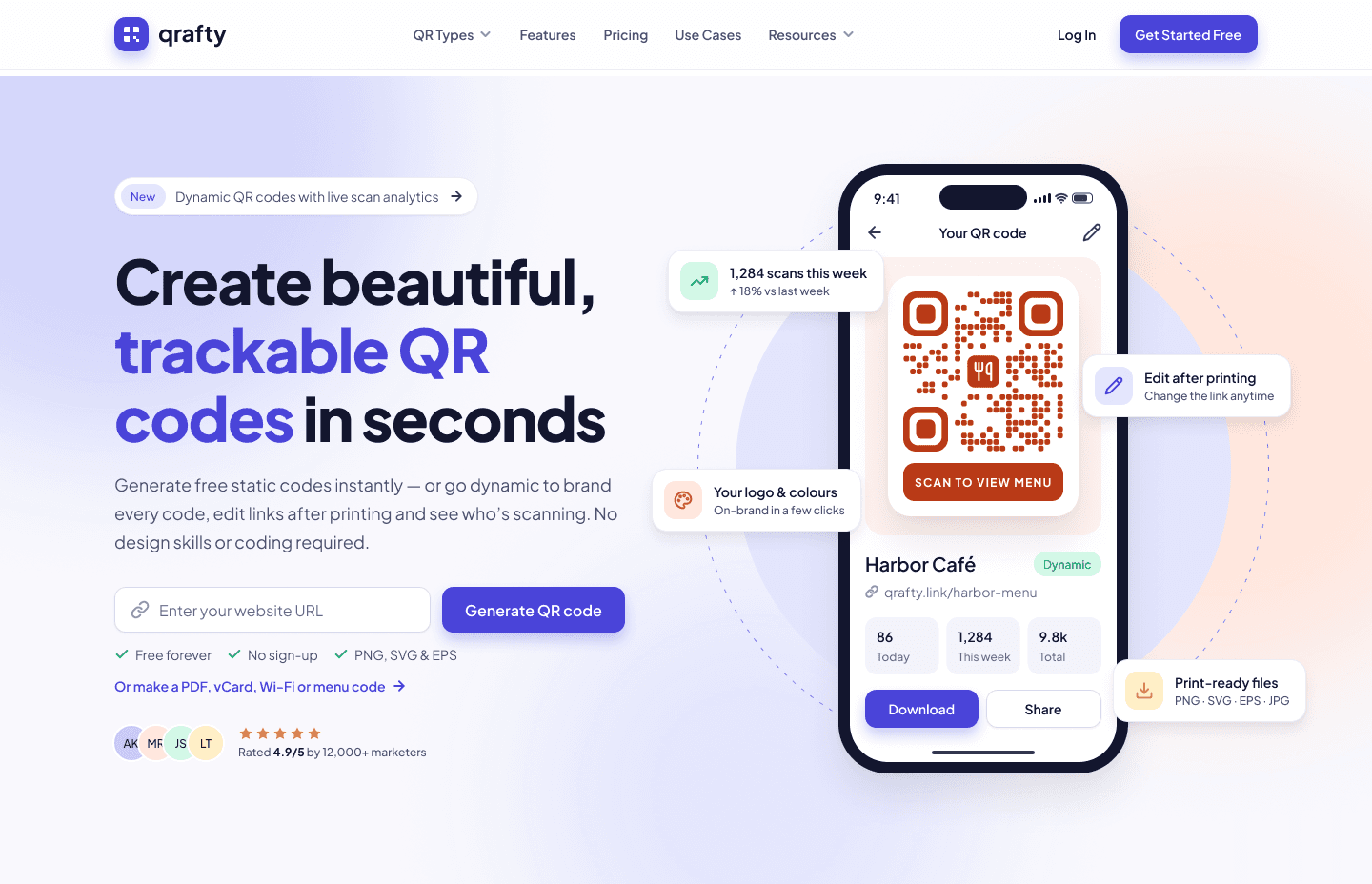
The brief
The live homepage promised “We make QR codes easy” without showing a single code. Styling sat a step away from content, so people couldn’t judge the result while they typed, and Step 2 was one long form where required and optional fields looked the same.
The task was to redesign the homepage and Step 2 of the PDF QR flow at 1440, keeping the product’s structure and content. I audited the live product first, then added 390 mobile layouts on top of the brief.
The flow
What the hero collects is never asked for again: Step 2 opens with the content filled in.
Paste a link and generate, or jump to PDF, vCard, Wi-Fi or menu codes.
Every QR type as a visual card, led by Website/URL.
A split editor with a live preview pinned beside the form.
Download PNG, SVG or EPS, or save it to track scans.
01 — Homepage
The hero takes a link in one field and shows the finished code on a phone, with cards for scans this week, editing after printing, logo and colours, and print-ready files.
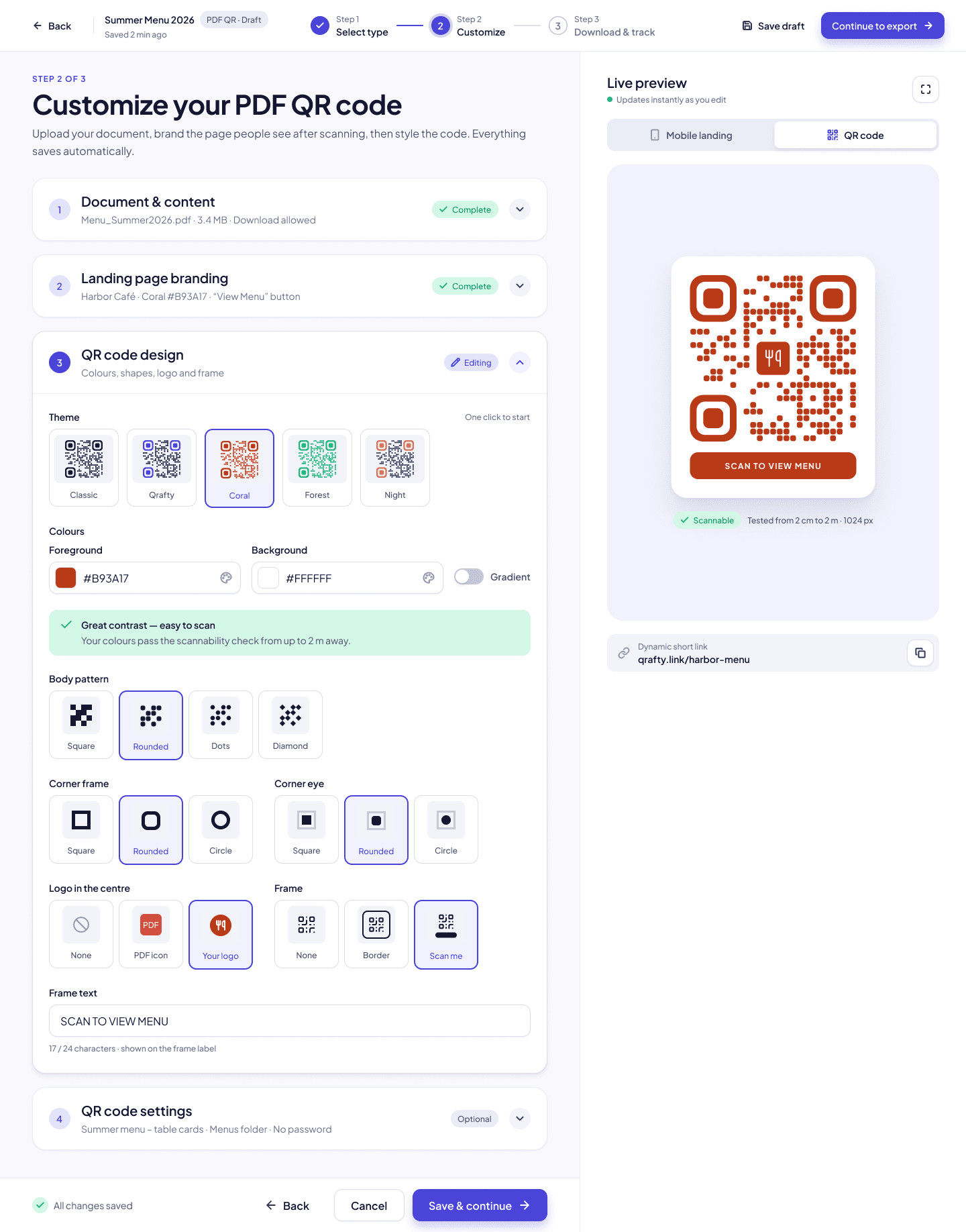
02 — Step 2 editor
Inputs sit on the left and a sticky preview on the right, so every change shows at once. Fields are grouped into four numbered accordions, with optional settings collapsed and marked.
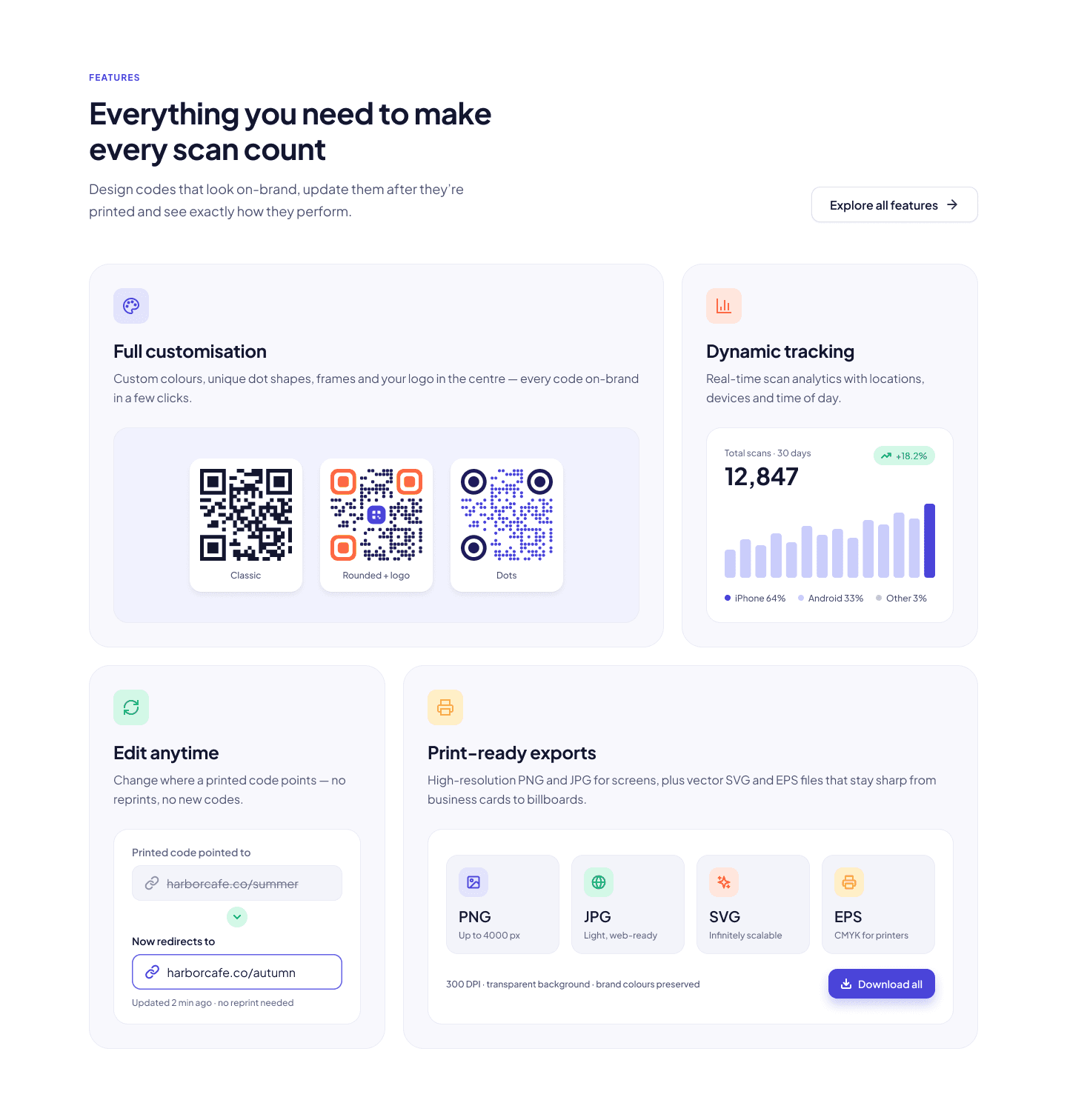
03 — Homepage sections
Below the hero: how it works, QR types, a features bento, use cases, pricing with one recommended plan, then the FAQ.
Mobile
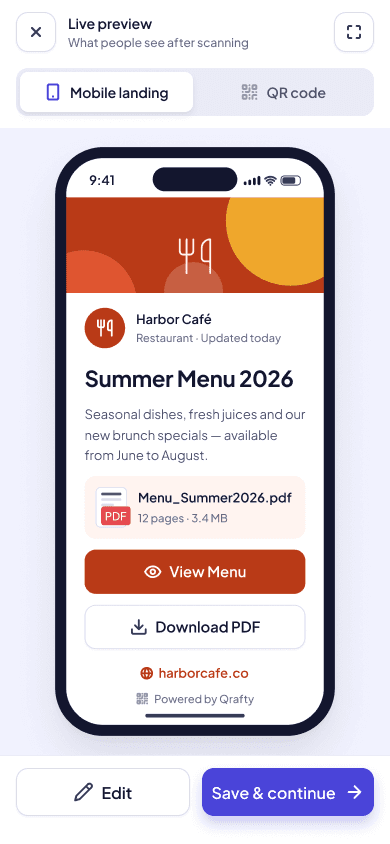
Mobile wasn’t required by the brief. I added the homepage and Step 2 at 390, with their own type scale.
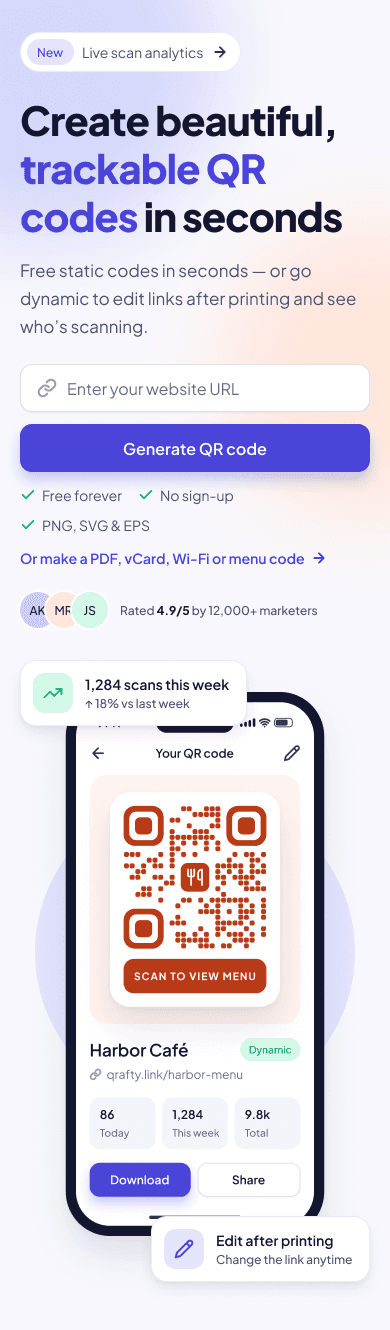
The same hero, stacked: one field, one button, the result below.
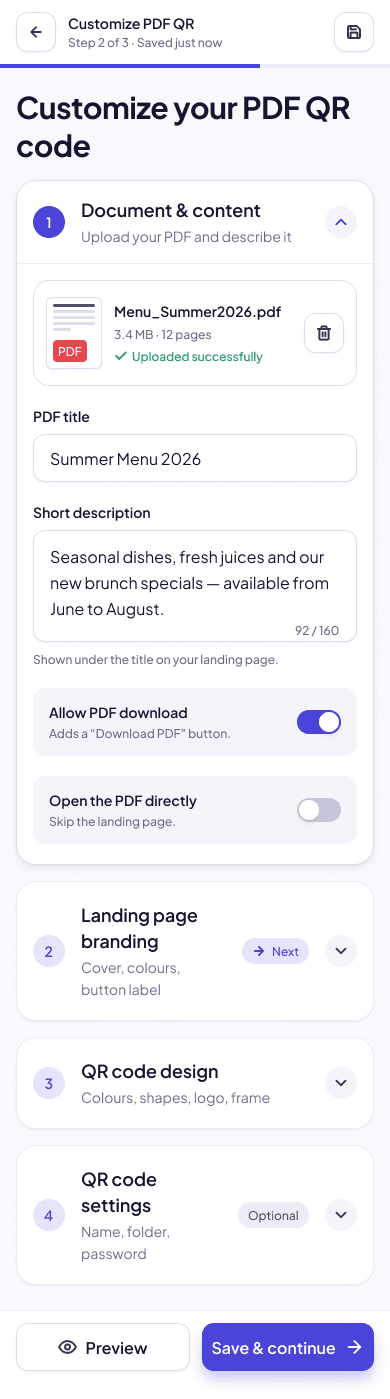
The accordions stack, with the preview one tap away.
Design system
Every frame is built from variables, styles and components, with Auto Layout and semantic layer names such as Step2/LeftPanel/Accordion-Branding.
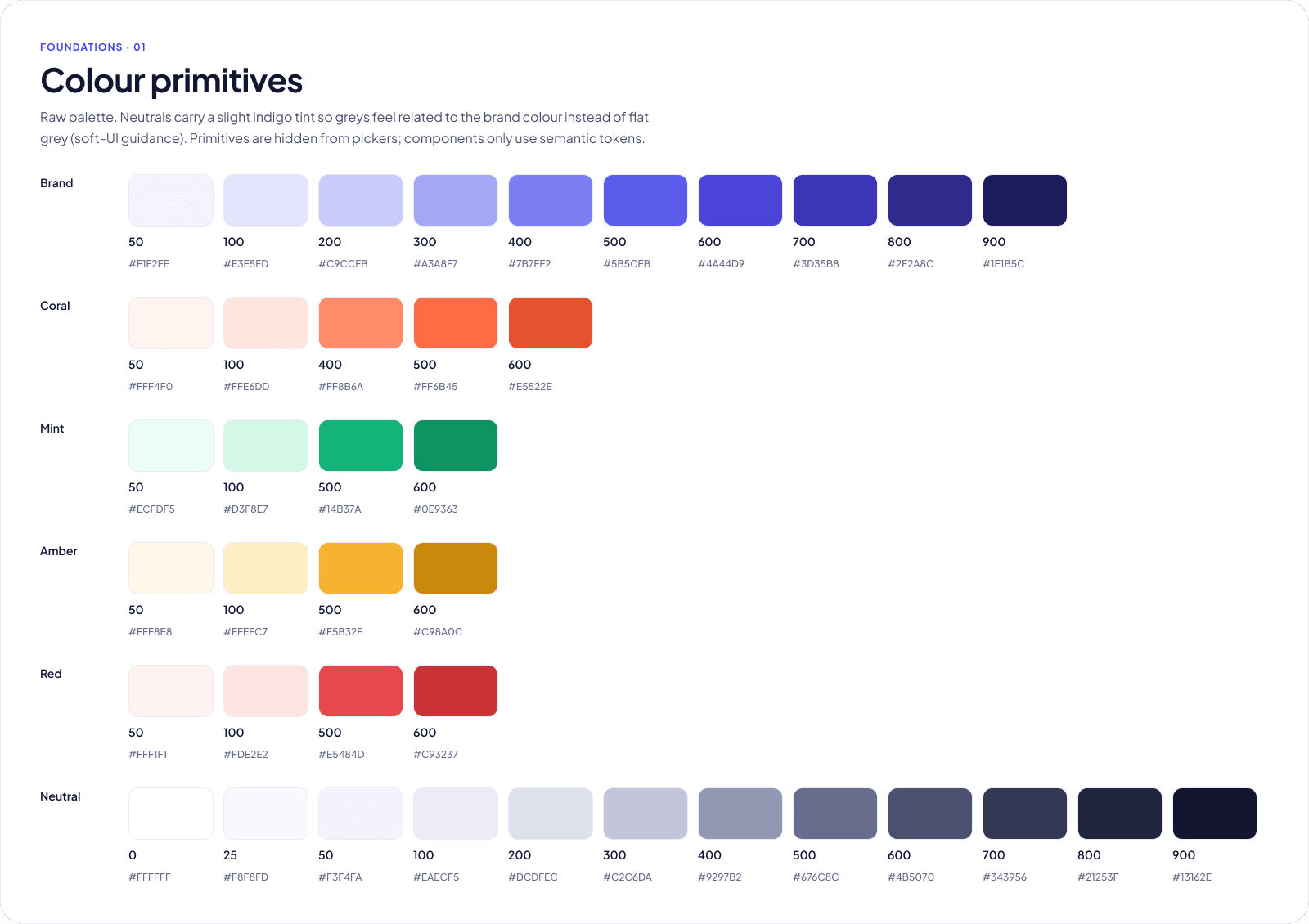
Upload states, all designed
Accessibility & next steps
Default and error focus rings on every interactive component.
Visible labels and helper text; errors never rely on colour alone.
Selected swatches get a ring, a white gap and a check mark.
Buttons and toggles sized for easy use on desktop.
Five to eight moderated sessions per page, then an A/B test of the hero.
Time to first code, Step 2 completion and upload errors.
Next case study
A wedding RSVP SaaS — one link per family, every RSVP counted.
06 — Let’s talk
I’m open to full-time frontend roles and freelance projects. Tell me what you’re working on and I’ll get back to you soon.